
Our Courses
A Learning Journey From First Click To Real-World Projects.
Whether your child is taking their first steps in coding or ready to build more advanced projects, our learning pathway helps them develop confidence, creativity and problem-solving skills through hands-on experiences.
Learning Pathway
From Curious Beginners to Confident Creators
Our courses are designed as a progressive learning journey. Students start with digital foundations, develop coding confidence through games and apps, and gradually transition into real-world programming and web development.
Digital Foundations
Build confidence with computers and digital skills.
Game Development
Create games and animations using block-based coding.
Mobile App Development
Design and develop interactive mobile apps.
Python Programming
Learn text-based coding and computational thinking.
Web Development
Develop own webb app / website and deploy to cloud hosting
JavaScript Programming
Create interactive and dynamic web experiences.
STEM Challenges & Competitions
Apply your skills through real-world challenges.
What Students Gain
Building More Than Coding Skills
Every project encourages learners to create, think critically, collaborate with others, and communicate their ideas with confidence.
Creativity
Turning ideas into games, apps and digital projects.
Problem Solving
Learning how to analyse problems and find creative solutions.
Communication
Presenting ideas and explaining how projects work.
Collaboration
Learning through teamwork, feedback and shared projects.
Confidence
Building confidence through exploration, experimentation and achievement.
Independent
No parents guidance needed, even new to coding
Course Categories
Choose The Right Starting Point
Digital Foundations
Build confidence with computers and digital skills before taking the first step into coding.
Students Learn
- Computer fundamentals
- Digital literacy
- Keyboard and file management
- Logical thinking
Beginner Track
Recommended Age: 8+
Game Development
Create animations, stories and games while learning coding fundamentals through block-based programming.
Students Learn
- Events
- Loops
- Conditions
- Variables
- Game design concepts
Intermediate Track
Recommended Age: 12+
Mobile App Development
Transform ideas into interactive mobile apps while strengthening computational thinking and problem-solving skills.
Students Learn
- App design
- User experience
- Programming logic
- Project development
Advanced Track
Recommended Age: 13+
Python Programming
Take the first step into text-based programming and learn how professional developers write and debug code.
Students Learn
- Python fundamentals
- Algorithms
- Data structures
- Problem-solving
Advanced Track
Recommended Age: 13+
Web Development
Learn how modern websites are built using industry-standard web technologies.
Students Learn
- HTML
- CSS
- Responsive design
- Website deployment
Advanced Track
Recommended Age: 13+
JavaScript Programming
Create fun and interactive digital experiences through websites, animations and games.
Students Learn
- Interactive web elements
- Animations and visual effects
- User input and event handling
- Game logic and mechanics
- Problem-solving and debugging
1-to-1 Coaching
Private Coaching
A flexible one-to-one learning experience designed around each student’s interests, pace and goals.
The REALFUN Experience
Learning Beyond Weekly Classes
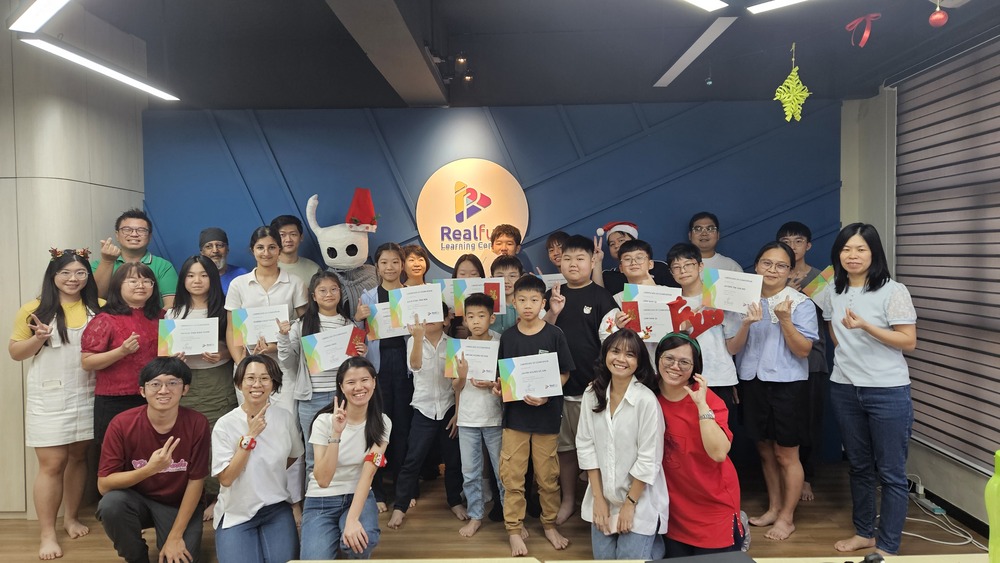
Graduation Ceremony
Recognising achievements and celebrating learning milestones.
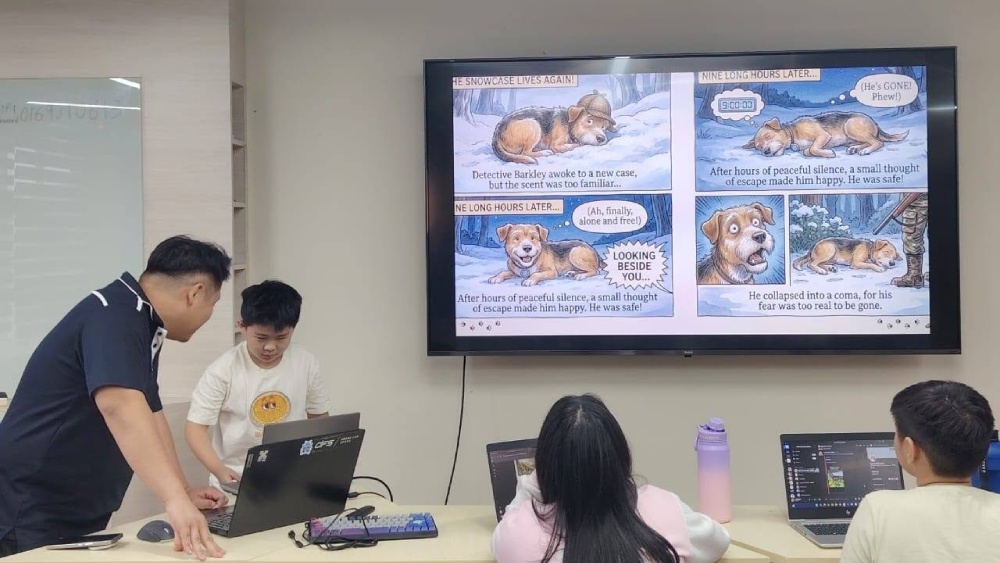
Holiday Camps & Workshops
Hands-on STEM experiences during school holidays.
STEM Challenges & Competitions
Opportunities to apply skills beyond the classroom.
Showcases & Community Events
Sharing projects, ideas and achievements with others.
FAQs
What age is suitable to start learning coding?
Students can begin their coding journey from around 8 years old. We offer different learning pathways to match each student’s age, experience and skill level.
Are classes conducted online or in person?
Classes are available in both physical and online formats. Classes are held once a week, with 4 classes per month, and each class lasts approximately 1.5 hours.
What language are the classes conducted in?
Our course materials are primarily in English. Depending on the student’s needs, teachers may conduct lessons in either English or Chinese.
How long does it take to complete a course level?
Most students take around one year to complete a level. However, progress may vary depending on the student’s learning pace and ability.
Will the student receive a certificate?
Yes. Students will receive a Certificate of Completion upon successfully completing each course level.
How do I know which course is suitable for my child?
Please contact our admin at +6013-205 2003 for a consultation and course recommendation.
How is this different from what students learn in school?
Our classes are conducted in small groups, allowing teachers to provide more personalised guidance and support. While some coding concepts may be similar, our lessons focus on hands-on projects, creativity, and practical application through a structured learning pathway.
Is there a trial class available?
Yes. We offer trial classes for new students. Please contact our admin at +6013-205 2003 to learn more and book a session.
How many students are there in a class?
We keep our classes small to ensure quality learning. Each class typically has a maximum of 4 to 5 students.
What should students bring to class?
Students should bring a laptop and a mouse. Tablets and iPads are not recommended as they may not support all course activities.
Does the laptop need to be the latest model?
No. Any laptop that can access the internet and runs Windows 10 or above is suitable for our courses.
Are there any laptop requirements?
We recommend a laptop with at least 4GB RAM (8GB recommended), internet access, and a modern web browser such as Chrome or Edge. A built-in camera and microphone are also recommended for online learning and communication.
Do I need to install any software?
Most activities are browser-based. Students only need a web browser such as Chrome or Edge and Zoom for online classes. No specialised software installation is required.
Can students use a MacBook?
Yes. Both Windows and Mac laptops are supported.
Can students use a tablet or smartphone?
No. Our courses require a laptop for the best learning experience. Tablets and smartphones are not supported.
Start Here